# PCIe-ACC100

(a.k.a. PCIe-A100)

# FEC Accelerator Based On Intel® vRAN Dedicated Accelerator ACC100

# User’s Manual

Manual Rev.: Rev. 1.2

Revision Date: October 20, 2022

Part No.: 50M-00045-1020

# Preface

# Copyright © 2022 ADLINK Technology, Inc.

This document contains proprietary information protected by copyright. All rights are reserved. No part of this manual may be reproduced by any mechanical, electronic, or other means in any form without prior written permission of the manufacturer.

# Disclaimer

The information in this document is subject to change without prior notice in order to improve reliability, design, and function and does not represent a commitment on the part of the manufacturer.

In no event will the manufacturer be liable for direct, indirect, special, incidental, or consequential damages arising out of the use or inability to use the product or documentation, even if advised of the possibility of such damages.

# Environmental Responsibility

ADLINK is committed to fulfill its social responsibility to global environmental preservation through compliance with the European Union's Restriction of Hazardous Substances (RoHS) directive and Waste Electrical and Electronic Equipment (WEEE) directive. Environmental protection is a top priority for ADLINK. We have enforced measures to ensure that our products, manufacturing processes, components, and raw materials have as little impact on the environment as possible. When products are at their end of life, our customers are encouraged to dispose of them in accordance with the product disposal and/or recovery programs prescribed by their nation or company.

![Symbol of a trash bin crossed out by two diagonal lines (no text or numbers present)](.pcie-acc100-50m-00045-1020-12/104a7357ba98683a9ee1a93fd363a4908267a45d819dd6d1eb3a5c66df3071bb.jpg)

![The image displays a horizontal graphic consisting of three black rectangular bars stacked vertically. The top and bottom bars are thin horizontal strips. The middle bar is a significantly thicker, larger horizontal rectangle. White vertical space separates the top bar from the middle rectangle and the middle rectangle from the bottom bar.](.pcie-acc100-50m-00045-1020-12/c456285cbc10b37540b431677324951e3b59d6025824a8d3112ec8c619813476.jpg)

# Trademarks

Product names mentioned herein are used for identification purposes only and may be trademarks and/or registered trademarks of their respective companies.

Revision History

<table><tr><td>Revision</td><td>Release Date</td><td>Description of Change(s)</td></tr><tr><td>1.0</td><td>2021-09-23</td><td>Initial release</td></tr><tr><td>1.1</td><td>2022-04-27</td><td>Update product name from PCIe-A100 to PCIe-ACC100; memory spec</td></tr><tr><td>1.2</td><td>2022-10-21</td><td>Update Ch. 3 Testing the Module</td></tr></table>

# Conventions

![The image shows a yellow triangular warning sign with a black border. Inside the triangle is a black exclamation mark. Below the triangle, the text 'CAUTION:' is written in black, uppercase letters.](.pcie-acc100-50m-00045-1020-12/25b18949ac70d88f37018dbeae245d5f82284e63d69a828312d7aab28ae604e0.jpg)

mise en garde

Information to prevent minor physical injury, component damage, data loss, and/or program corruption when trying to complete a task.

Informations destinées à prévenir les blessures corporelles mineures, les dommages aux composants, la perte de données et/ou la corruption de programme lors de l'exécution d'une tâche.

![A red triangular warning sign containing a white exclamation point is displayed above the black text 'WARNING:'.](.pcie-acc100-50m-00045-1020-12/609958a9fbe07c53a18aa575d9406ef27f9a9a811516d95c3ea7062e462eb053.jpg)

AVERTISSEMENT

Information to prevent serious physical injury, component damage, data loss, and/or program corruption when trying to complete a specific task.

Informations destinées à prévenir les blessures corporelles graves, les dommages aux composants, la perte de données et/ou la corruption de programme lors de l'exécution d'une tâche spécifique.

# Table of Contents

# Preface ...................

# 1 Overview ..... 5

1.1 Introduction ... ... 5
1.1 Block Diagram.. .. 6
1.2 Mechanical Overview... . 7

1.2.1 PCIe-ACC100 - Half Height...
1.2.2 PCIe-ACC100 - Full Height . ...8

# 2 Specifications .....

2.1 PCIe-ACC100 Specifications .... .. 9

# 3 Testing the Module ...................

# Important Safety Instructions .................. ... 12

# Consignes de Sécurité Importantes ................ .. 14

# Getting Service ..... . 16

# 1 Overview

# 1.1 Introduction

The ADLINK PCIe-ACC100 (also knows as PCIe-A100) is a single-slot eASIC FEC accelerator server adapter based on the Intel® vRAN Accelerator ACC100 adapter. The PCIe-ACC100 can be deployed in various Xeon-based COTS servers ranging from dualsocket Xeon-SP rackmount implementations, single socket Xeon-SP edge servers through to low-core-count (LCC) based Xeon-D servers.

The main features of the PCIe-ACC100 are summarized as follows:

• Integrates Intel® vRAN Dedicated Accelerator ACC100
o LDPC FEC processing (3GPP 5G): LDPC encode/decode, CRC, rate matching, HARQ
o LTE FEC processing (3GPP 4G): Turbo encode/decode, CRC, rate matching
o Supports virtualization, scalable to desired system configuration; separate engines for UL/DL
o Load balancing supported by Queue Mgr.
• Low profile PCIe card for low-cost design
o Power envelope of low-profile slot
o For Intel Xeon Scalable Processor & Xeon D Processor based COTS servers
o No PCIe card auxiliary power required
o No front-panel I/O for maximum air-flow
o Full and Half-height bracket options
• Onboard DDR4 for HARQ processing
• High-speed host interface: PCIe x16 Gen3
Operation temperature: $\mathtt { - 5 ^ { \circ } C }$ to $\yen 55 \textdegree$
• Passive cooling
• NEBS compliance ready

# 1.1 Block Diagram

![This block diagram illustrates the connectivity of an Intel vRAN Accelerator system.\n\n**Central Block:**\n*   **Intel® vRAN Accelerator ACC100 Adapter (Mount Bryce)**\n\n**Left Side Blocks & Connections:**\n*   **DDR4 Block:** Contains 'DDR4', 'DDR4 1GB x8', 'DDR4 4GB x64', and text 'DDR HARQ Buffer + ECC 2667 Mb/s D'.\n    *   **Connection:** Bidirectional arrows connect this block to the central block. Arrows pointing left are labeled 'x8 (ECC)' and 'x64'. An arrow pointing right is labeled 'x72'. The text 'DDR4' appears near the connection line.\n*   **OSC Block:** Contains 'OSC', '540BAA333M330CBGR', and '333.33MHz'.\n    *   **Connection:** A line connects this block to the central block, labeled 'DDR4_REFCLK'.\n*   **LED Block:** Contains 'LED' and 'PWROK GREEN'. (No explicit connection line is drawn to this block).\n\n**Right Side Blocks & Connections:**\n*   **PCle x16 Edge Connector:** A large vertical block.\n    *   **Connection:** Two arrows originate from the central block pointing to this connector. The top arrow is labeled 'JTAG' and 'x16'. The middle arrow is labeled 'PCle x16 Gen3' and 'x16'.\n*   **Buffer TCA9406:** Contains 'Buffer' and 'TCA9406'.\n    *   **Connection:** A line labeled 'I2C Master' connects the central block to this buffer.\n\n**Bottom Bus & Blocks:**\n*   A long horizontal line labeled 'NC' and '*Default' connects the **Buffer TCA9406** to the following four blocks at the bottom:\n    *   **Temp & Fan Controller AD7475 0X2E**\n    *   **Sequencer UCD90160A 0x36**\n    *   **FRU CAT24C02YI 0x53**\n    *   **VDD PWR Controller 0x08**\n*   This same horizontal line continues to the right and connects to the **PCle x16 Edge Connector**, labeled 'I2C Master'.](.pcie-acc100-50m-00045-1020-12/71a4e9f9ab713b9560211e44ccb46936e8354e109063d2367109c60da5ea0921.jpg)

# 1.2 Mechanical Overview

# 1.2.1 PCIe-ACC100 - Half Height

Dimensions: mm
![(22.0)\n(80.0)\n(169.3)](.pcie-acc100-50m-00045-1020-12/c1c2cdddd9503bcf14824404e7a3b38c374b1be58359b112fc064908a89728e5.jpg)

# 1.2.2 PCIe-ACC100 - Full Height

Dimensions: mm
![Architectural floor plan showing room layouts and structural elements (no text or labels)](.pcie-acc100-50m-00045-1020-12/c9781f8509075f2ef9acf3094f22675c15891530f0f29a9e1a3db2728d7ad02c.jpg)

![(21.6)\n(120.9)\n(169.4)](.pcie-acc100-50m-00045-1020-12/ac7bde2d69abeae3c77a1993925645d7370f6cb4bb30ebbd243ef598233b837d.jpg)

# 2 Specifications

# 2.1 PCIe-ACC100 Specifications

<table><tr><td>Performance</td><td>5G throughput: 21Gbps encode, 8Gbps decode4G throughput: 8.4Gbps encode, 2.1Gbps decode</td></tr><tr><td>Software and Cloud Support</td><td>Interface via DPDK BBDevCloud native, VM and bare metal, SRIOV/Vt-d</td></tr><tr><td>Interface</td><td>PCIe x16 Gen3 interface to host</td></tr><tr><td>Memory</td><td>DDR4-2666 4GB ECC</td></tr><tr><td>Operating Temperature</td><td>-5°C to +55°C</td></tr><tr><td>Dimensions</td><td>Refer to 1.2 Mechanical Overview</td></tr></table>

# 3 Testing the Module

# 1. OS:

Install an operating system such as Ubuntu 20.04. Login and switch to user “root” (su root). Make sure this server is connected to Internet.

# 2. Copy files:

Copy the file test-bbdev.tar.gz to /home and unpack it.

# 3. Update the grub:

Update the grub to improve the performance.

1. Execute the command "vi /etc/default/grub"
2. Paste the following text:
GRUB\_CMDLINE\_LINUX="default\_hugepagesz=1G hugepagesz=1G hugepages=8 nmi\_watchdog=0 selinux=0 isolcpus=1-7,9-15 nohz\_full=1-7,9-15 rcu\_nocbs=1-7,9-15 intel\_pstate=disable nosoftlockup"
3. Execute the command "update-grub"
4. Execute the command "reboot"

# 4. Configure the test-bbdev environment:

./test-bbdev\_env\_setup.sh

The configuration is successful when you see the following.

```txt
Queue Groups: 4 5GUL, 4 5GDL, 0 4GUL, 0 4GDL
Number of 5GUL engines 8
Configuration in PF mode
PF ACC100 configuration complete
ACC100 PF [0000:17:00.0] configuration complete!
```

# 5. Test the bbdev:

# ./test-bbdev.sh

The test is OK if you see the “Tests Passed” count.

```diff
root@adlink-desktop:/home/test-bbdev# ./test-bbdev.sh
Executing: .././build/app/dpdk-test-bbdev --vdev=baseband_null0 -- -n 100 -l 1 -c validation -i -v ldpc_enc_default.data -b 100
EAL: Detected 14 lcore(s)
EAL: Detected 1 NUMA nodes
EAL: Detected static linkage of DPDK
EAL: Multi-process socket /var/run/dpdk/rte/mp_socket
EAL: Selected IOVA mode 'PA'
EAL: No available hugepages reported in hugepages-2048kB
EAL: Probing VFIO support...
EAL: VFIO support initialized
EAL: Probe PCI driver: intel_acc100_pf (8086:d5c) device: 0000:17:00.0 (socket 0)
EAL: No legacy callbacks, legacy socket not created

================------------------------
Starting Test Suite : BBdev Validation Tests
Test vector file = ldpc_enc_default.data
Configure ACC100 FEC Driver intel_acc100_pf with default values
Number of 5GUL engines 8
Device 1 (baseband_null0) does not support specified capabilities
+ =================----------------+
== test: validation
dev:0000:17:00.0, burst size: 100, num ops: 100, op type: RTE_BBDEV_OP_LDPC_ENC
Operation latency:
    avg: 31642 cycles, 16.6537 us
    min: 31642 cycles, 16.6537 us
    max: 31642 cycles, 16.6537 us
TestCase [ 0 ] : validation_tc passed
+ =================----------------+
+ Test Suite Summary : BBdev Validation Tests
+ Tests Total : 1
+ Tests Skipped : 0
+ Tests Passed : 1
+ Tests Failed : 0
+ Tests Lasted : 433.671 ms
+ =================----------------+
+ Test Suite Summary : BBdev Validation Tests
```

# Important Safety Instructions

For user safety, please read and follow all instructions, WARNINGS, CAUTIONS, and NOTES marked in this manual and on the associated equipment before handling/operating the equipment.

1. Read these safety instructions carefully.
2. Keep this user’s manual for future reference.
3. Read the specifications section of this manual for detailed information on the operating environment of this equipment.
4. The equipment can be operated at an ambient temperature of $4 0 ^ { \circ } \mathsf { C }$
5. When installing/mounting or uninstalling/removing equipment; or when removal of the chassis lid required for user servicing (Section 3.1-3.5):
• Turn off power and unplug any power cords/cables, and
• Reinstall the chassis lid before restoring power.

![The image displays a red triangle with rounded corners containing a white exclamation point in the center. Directly beneath the triangle, the word 'WARNING:' appears in black capital letters.](.pcie-acc100-50m-00045-1020-12/ce39eac7b2bd5b44dbe715bf12ac98960015365b218915bfbf3bafe936ec8993.jpg)

Hazardous moving parts. Keep body parts out of the motion path.

![The image displays a black line drawing of a large triangle pointing upwards. Inside the triangle is a symbol resembling a five-bladed fan or propeller, consisting of a central circle with five curved, petal-like shapes radiating outward.](.pcie-acc100-50m-00045-1020-12/1cd9ba7009160d5df854a6789209e31b0eea1e6296389e6ef894cb3c25df1b1a.jpg)

6. To avoid electrical shock and/or damage to equipment:

• Keep equipment away from water or liquid sources;
• Keep equipment away from high heat or high humidity;
• Keep equipment properly ventilated (do not block or cover ventilation openings);
• Make sure to use recommended voltage and power source settings;
Always install and operate equipment near an easily accessible electrical socketoutlet;
• Secure the power cord (do not place any object on/over the power cord);
Only install/attach and operate equipment on stable surfaces and/or recommended mountings;
If the equipment will not be used for long periods of time, turn off and unplug the equipment from its power source.
• The power cord must be connected to a socket or outlet with a ground connection.

7. Never attempt to fix the equipment. Equipment should only be serviced by qualified personnel.

8. An RTC battery may be provided for uninterrupted, backup or emergency power.

![The image displays a standard safety warning sign featuring a yellow triangle with a black border. Inside the triangle is a large black exclamation point. Below the triangle, the text 'CAUTION:' is printed in black capital letters.](.pcie-acc100-50m-00045-1020-12/179ef50451e03a790adf06de746460cf3a38b393998a97648979cf7ec9848e75.jpg)

Risk of explosion if battery is replaced with one of an incorrect type. Discard used batteries according to the manufacturer's instructions.

9. This equipment is not suitable for use in locations where children are likely to be present.

10. Equipment must be serviced by authorized technicians when:

• The power cord or plug is damaged;
Liquid has penetrated the equipment;
• It has been exposed to high humidity/moisture;
• It is not functioning or does not function according to the user’s manual;
• It has been dropped and/or damaged; and/or,
It has an obvious sign of breakage.

11. Please pay strict attention to all warnings and advisories appearing on the device, to avoid injury or damage.
12. The equipment may have more than one power supply input. To reduce the risk of electrical shock, trained personnel should disconnect all power supply inputs before servicing.

![The image shows a yellow triangular warning sign with a black outline. Inside the triangle is a large black exclamation point. Below the triangle is the word 'CAUTION:' in black capital letters.](.pcie-acc100-50m-00045-1020-12/ecd843b668063d978669e19da6005eb0015472882c2491b47cd7abcabaa1abf5.jpg)

Shock hazard! Disconnect all power supply inputs before servicing.

![The image displays a yellow triangular warning sign with a thick black border. Inside the triangle is a black lightning bolt symbol, indicating an electrical hazard. There is no text visible in the image.](.pcie-acc100-50m-00045-1020-12/99be73d5ce44a053152fe012c711b26173dd24f72f59d6aca1e07e1719cd4d8d.jpg)
Shock hazard! Risque d'électrocution!
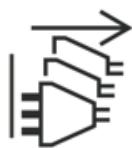
![The image displays a black and white schematic diagram. On the left, there are three vertical parallel lines. In the center, there is a large triangle pointing to the left with three horizontal lines inside it. To the right of the triangle, there are three trapezoidal shapes stacked vertically. Above the trapezoids, there is a horizontal line with an arrowhead pointing to the right.](.pcie-acc100-50m-00045-1020-12/d9c310af6e37c7baca8aa70c1124d2d31fda7fbbdca5b6773e85e2e17b89d654.jpg)
Multiple power sources Sources d'alimentation multiples

13. It is recommended that equipment be installed only in a server room or computer room where access is:

Restricted to qualified service personnel or users familiar with restrictions applied to the location, reasons therefor, and any precautions required;
Only afforded by the use of a tool or lock and key, or other means of security, and is controlled by the authority responsible for the location.

14. Suitable for installation in Information Technology Rooms in accordance with Article 645 of the National Electrical Code and NFPA 75.

# Consignes de Sécurité Importantes

Pour assurer la sécurité de l’utilisateur, veuillez lire et suivre toutes les directives, ainsi que les AVERTISSEMENTS, MISES EN GARDE et REMARQUES de ce manuel et indiqués sur l’équipement associé avant de manipuler ou utiliser l’équipement.

1. Veuillez lire attentivement ces instructions de sécurité avec soin.
2. Veuillez conserver ce manuel pour référence future.
3. Veuillez lire la section des spécifications de ce manuel pour avoir des informations détaillées sur l’environnement d’exploitation de cet équipement.
4. L’équipement peut être utilisé à une température ambiante de 40 °C.
5. Lors de l’installation ou du montage et de la désinstallation ou de la dépose de l’équipement; ou lors de la dépose du couvercle du châssis pour procéder à l’entretien par l’utilisateur (Sections 3.1-3.5):

• Coupez l’alimentation et débranchez les cordons et les câbles d’alimentation, et
Reposez le couvercle du châssis avant de remettre l’alimentation.

![The image displays a red equilateral triangle pointing upwards, containing a white exclamation point in its center.](.pcie-acc100-50m-00045-1020-12/3eec6f9ed28c1f62d53117c2bd2e100cfce85900a3f849340ff831f14bf659a2.jpg)

WARNING:

AVERTISSEMENT

Pièces mobiles dangereuses. Gardez les parties du corps hors de la trajectoire.

![The image displays a black outline of an equilateral triangle on a white background. Inside the triangle is a symbol resembling a four-bladed fan or propeller with a central hub. Thick black horizontal bars run across the top and bottom edges of the image.](.pcie-acc100-50m-00045-1020-12/56beb65d92ca2e737c06f99278b5064b24475dd811f07ba3d1a374309048db23.jpg)

6. Pour éviter un risque d’électrocution et pour éviter d’endommager l’équipement :

• Éloignez l’équipement de l’eau et de toute source liquide;
• Éloignez l’équipement de toute source de chaleur ou d’humidité élevée;
Gardez l’équipement correctement ventilé (ne pas bloquer ou couvrir les ouvertures de ventilation);
Veillez à utiliser la tension recommandée et les réglages adéquats pour la source d’alimentation;
Veuillez toujours installer et exploiter l’équipement à proximité d’une prise de courant facilement accessible;
Assurez-vous que le cordon d’alimentation est acheminé de manière sécuritaire (ne déposez aucun objet dessus);
Installez, fixez et utilisez l’équipement sur des surfaces stables ou sur les fixations recommandées uniquement;
Si l’équipement n’est pas utilisé pendant une longue période, éteignez-le et débranchez-le de sa source d’alimentation.
• Le cordon d'alimentation doit être connecté à une prise ou à une prise de courant avec mise à la terre.

7. N’essayez jamais de réparer l’équipement. L’équipement ne doit être réparé que par du personnel qualifié.

8. Une pile au lithium peut être installée pour assurer l’alimentation de secours ou d’urgence en continu.

![A yellow triangular warning sign featuring a large black exclamation point in the center, with the text 'CAUTION:' printed directly below it in black capital letters.](.pcie-acc100-50m-00045-1020-12/a50d4d25c1074997db80aec8d302dcc52fff98ab0a10bed49ed76ad2c9e17b5d.jpg)
mise en garde

Risque d'explosion si la batterie est remplacée par une batterie d'un type incorrect. Jetez les piles usagées conformément aux instructions du fabricant.

9. Cet équipement ne convient pas à une utilisation dans des lieux pouvant accueillir des enfants.
10. L’équipement doit être entretenu par des techniciens agréés lorsque :

le cordon d’alimentation est endommagé ou lorsque la fiche électrique est endommagée;
du liquide a pénétré à l’intérieur de l’équipement;
l’équipement a été exposé à un taux d’humidité élevé;
l’équipement ne fonctionne pas ou ne fonctionne pas conformément au manuel de l’utilisateur;
• l’équipement est tombé ou lorsqu’il a été endommagé;
• l’équipement présente un signe évident de défaillance.

11. Veuillez porter une attention rigoureuse à tous les avertissements et à tous les avis figurant sur l’appareil, pour éviter des blessures ou des dommages.
12. L’équipement peut avoir plus d’une entrée d’alimentation. Pour réduire le risque d’électrocution, le personnel qualifié devrait déconnecter toutes les entrées d’alimentation avant de procéder à l’entretien.

![The image displays a yellow triangular warning sign with a black border. Inside the triangle is a large black exclamation point. Below the triangle, the word 'CAUTION' is written in black capital letters.](.pcie-acc100-50m-00045-1020-12/72eace850f10b06e7a95aba21cd85a69f605d32199c2b5e9780872aa092b774a.jpg)
mise en garde

Risque d'électrocution! Débranchez toutes les entrées d'alimentation avant de procéder à l'entretien.

![A yellow triangular warning sign with a black border containing a black lightning bolt symbol in the center.](.pcie-acc100-50m-00045-1020-12/0a1a2d0fb1bc3a4dfcb82cc38046e2b4be848e5f1cffaf0d3fdf68956ad03dfa.jpg)
Shock hazard! Risque d'électrocution!
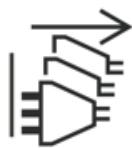
![The image displays a black line drawing on a white background. On the far left, there are three vertical parallel lines of decreasing height. Next to them is a triangle pointing to the right; inside its base are three horizontal lines, and extending from its tip are three small horizontal lines. Above the triangle and extending to the right is a large arrow pointing right, featuring a stepped, zig-zag pattern on its lower shaft that resembles a feathered arrow.](.pcie-acc100-50m-00045-1020-12/733ae0ea2b1be43c721862cc395e703f2f3358d7c25e7204c651f0824df6bdb3.jpg)
Multiple power sources Sources d'alimentation multiples

13. Il est recommandé que l'équipement soit installé que dans une salle de serveur ou de la salle informatique où:

L'accès est limité au personnel de maintenance qualifié ou utilisateurs familiers avec les restrictions appliquées à l'emplacement, motifs, et tout les précautions nécessaires, et;
• L'accès est uniquement assurée par l'utilisation d'un outil ou clé, ou d'autres moyens de sécurité, et est contrôlé par l'autorité responsable de l'emplacement.

14. Peut être installé dans des salles de matériel de traitement de l’information conformément à l’article 645 du National Electrical Code et à la NFPA 75.

# Getting Service

Ask an Expert: http://askanexpert.adlinktech.com

# ADLINK Technology, Inc.

Address: No. 66, Huaya 1st Rd., Guishan District

Taoyuan City 333411, Taiwan

333411 桃園市龜山區華亞一路66號

Tel: +886-3-216-5088

Fax: +886-3-328-5706

Email: service@adlinktech.com

# Ampro ADLINK Technology, Inc.

6450 Via Del Oro, San Jose, CA 95119-1208, USA

Tel: +1-408-360-0200

Toll Free: +1-800-966-5200 (USA only)

Fax: +1-408-600-1189

Email: info@adlinktech.com

# ADLINK Technology (China) Co., Ltd.

Address: 上海市浦东新区张江高科技园区芳春路 300 号 (201203)

300 Fang Chun Rd., Zhangjiang Hi-Tech Park, Pudong New Area

Shanghai, 201203 China

Tel: +86-21-5132-8988

Fax: +86-21-5132-3588

Email: market@adlinktech.com

# ADLINK Technology GmbH

Address: Hans-Thoma-Strasse 11, D-68163, Mannheim, Germany

Tel: +49-621-43214-0

Fax: +49-621 43214-30

Email: emea@adlinktech.com

Please visit the Contact page at www.adlinktech.com for information on how to contact the ADLINK regional office nearest you.
[🔗 Link to the original document](.pcie-acc100-50m-00045-1020-12/pcie-acc100-50m-00045-1020-12.pdf)
